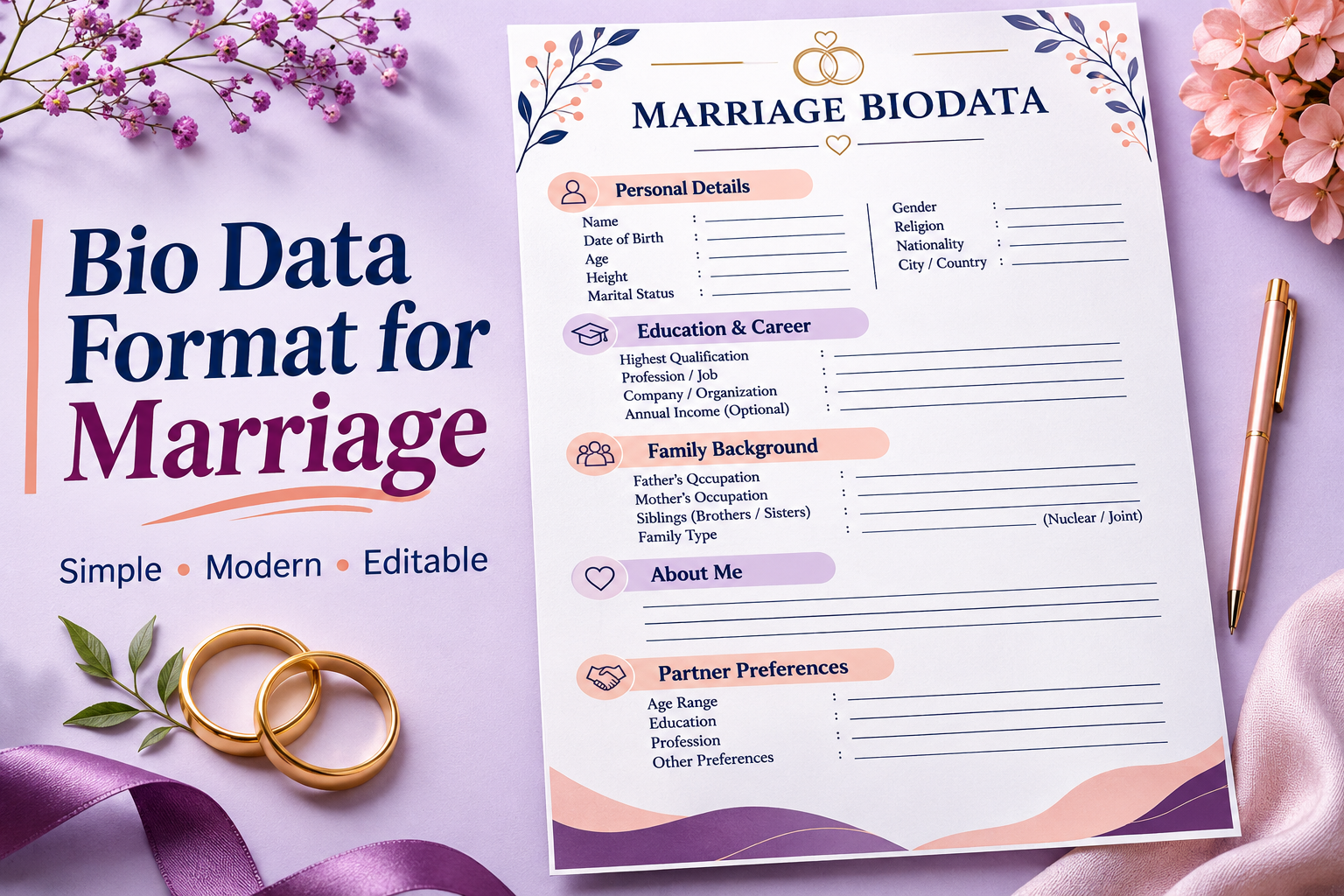
A marriage biodata is often the first introduction between two people who are considering a future together. Before conversations begin or families meet, a thoughtfully prepared profile can help both sides understand the essentials.
Choosing the right bio data format for marriage makes that introduction easier. A good biodata is clear, respectful and personal without sharing more information than necessary.
Whether you need a marriage biodata for a bride, a groom or yourself, this guide provides a simple format, a ready-to-copy example and useful tips for creating a profile that feels genuine.
What Is a Marriage Biodata?
A marriage biodata is a short document describing someone who is looking for a life partner. It generally includes personal information, education, professional background, family details and marriage preferences.
Unlike a professional résumé, a marriage biodata focuses on the person behind the qualifications.
The most helpful profiles answer three questions: Who are you? What matters to you? What kind of future would you like to build?
A simple marriage biodata usually fits on one or two pages. The aim is not to include everything about your life but to share enough meaningful information to begin a conversation.
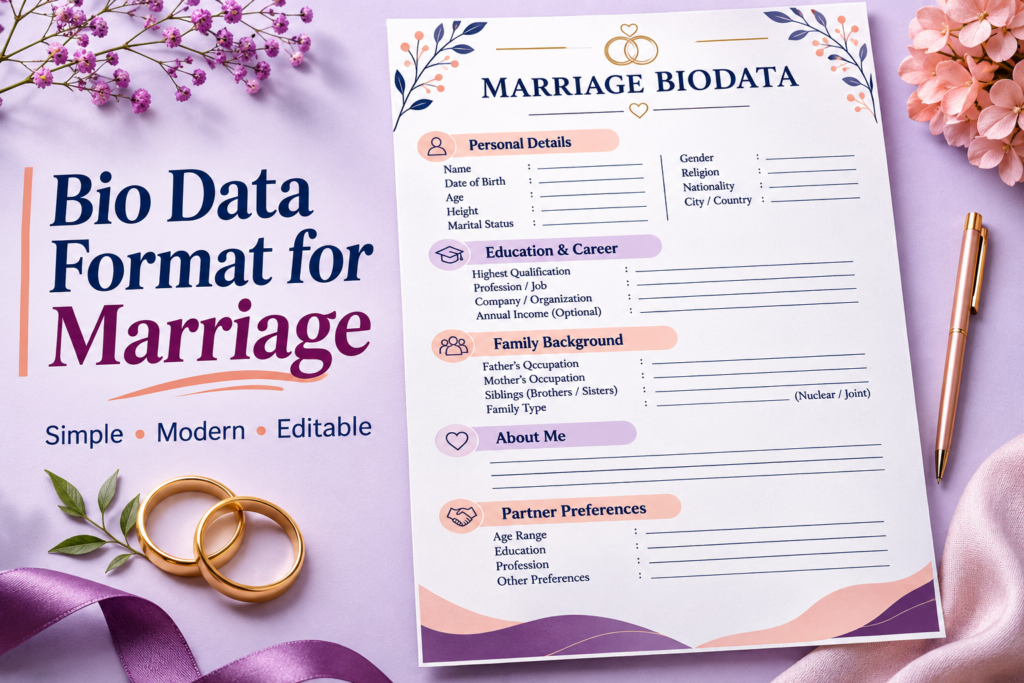
Simple Bio Data Format for Marriage – Copy and Edit
You can use the following marriage biodata template in Microsoft Word, Google Docs or any document editor.
MARRIAGE BIODATA
Personal Information
- Full Name: [Your Name]
- Age: [Your Age]
- Date of Birth: [DD/MM/YYYY]
- Height: [Your Height]
- Marital Status: [Your Status]
- Religion/Community: [Optional]
- Current Location: [City, Country]
Education and Career
- Highest Qualification: [Your Degree]
- Profession: [Your Occupation]
- Workplace/Industry: [Optional]
- Career Goals: [Brief Description]
Family Background
- Parents: [Brief Details]
- Siblings: [Number of Siblings]
- Family Location: [City or Country]
- Family Values: [Optional Description]
Personal Interests
- Hobbies: [Your Interests]
- Personality: [A Few Words About Yourself]
- Lifestyle: [Your Preferences]
Partner Expectations
- Preferred Age Range: [Optional]
- Location Preference: [Optional]
- Important Values: [Your Priorities]
Contact Information
- Preferred Contact Method: [Email or Family Representative]
This editable marriage bio data format can be adjusted to suit different cultures, traditions and personal circumstances.
Marriage Biodata Sample in English
Sometimes a completed example is more useful than an empty form. The following fictional profile demonstrates how to introduce yourself naturally.
Sample Marriage Profile
Name: Ayesha Khan
Age: 27 years
Location: Manchester, United Kingdom
Education: Master’s Degree in Business Administration
Profession: Marketing Specialist
Marital Status: Never Married
Family Background: Ayesha comes from a close-knit family that values education, kindness and mutual respect. Her parents live in Manchester, and she has two siblings.
About Me:
“I enjoy meaningful conversations, discovering new places and spending time with family. I am ambitious about my career but also appreciate a balanced and peaceful personal life. Friends describe me as thoughtful, optimistic and easy to talk to.”
Partner Preferences:
“I hope to meet someone who values honesty, respects individual goals and believes that a strong marriage is built through communication, patience and shared responsibility.”
Notice that this marriage biodata example communicates personality rather than simply listing qualifications.
It tells readers something meaningful without becoming too lengthy.
How to Write a Marriage Biodata That Feels Personal
Many marriage profiles look similar because they contain only names, ages and qualifications.
A more thoughtful approach is to combine essential facts with a few honest details about everyday life.
Start With Clear Information
Use simple headings and arrange information in a logical order. Someone reading your biodata should quickly find your age, location, education and background.
Avoid long introductions filled with formal expressions.
Write an Authentic Introduction
Instead of describing yourself only as “honest, caring and family-oriented,” explain what those qualities mean in your life.
For example:
“I enjoy hosting family dinners, learning new skills and making time for the people who matter to me.”
This gives readers a clearer picture of your personality.
Describe Expectations Positively
Partner preferences should express what matters to you without making the profile sound like a list of demands.
For example, “I value open communication and mutual encouragement” feels more welcoming than a rigid checklist.
Biodata Format for Bride and Groom
The basic structure of a marriage biodata can work for anyone. You do not need completely different templates for brides and grooms.
For a bride marriage biodata format, include education, career interests, personal values, hobbies and future aspirations.
For a groom marriage biodata format, the same categories are equally relevant. Describe your profession, family background, personality and vision for married life.
Financial information, photographs and cultural details may be included according to personal preference, but they should not be treated as universal requirements.
The strongest profile reflects the individual rather than following outdated assumptions about gender roles.
A Better Idea: The Three-Stage Marriage Biodata
One practical way to make a marriage profile more comfortable to share is to prepare three versions.
Stage 1: Introduction Profile
Include your first name, age range, city, education, interests and short personal introduction. This version can be shared during an initial enquiry.
Stage 2: Detailed Marriage Profile
When both people express genuine interest, add relevant family information, career details and relationship expectations.
Stage 3: Private Conversation
Discuss sensitive personal matters directly, with appropriate trust and consent, rather than placing everything in a document.
This approach helps maintain privacy while allowing people to get to know each other gradually.
Best Design and Formatting Tips
A beautiful marriage biodata does not require expensive software or elaborate artwork.
Choose a readable font, such as Arial, Calibri or Georgia. Use clear section headings, consistent spacing and a simple colour combination.
Soft lavender, warm ivory or muted blue can create an elegant appearance.
For a single-page profile, prioritise personal information and a short introduction. If you need more space, use a second page rather than shrinking the text.
A marriage biodata in Word is convenient for editing, while a PDF helps preserve the layout when sharing.
If you include a photograph, choose a recent image you feel comfortable sharing. A photograph should remain optional.
Common Mistakes to Avoid
Small mistakes can make an otherwise useful profile difficult to read.
Avoid exaggerated achievements, inconsistent personal details, overly detailed family histories and excessive decorative elements.
Do not publish your home address, identification numbers, financial documents or private contact details on an openly accessible page.
A biodata should create an opportunity for conversation, not reveal every personal detail immediately.
Finally, proofread the document and ask someone you trust to check its clarity before sending it.
Frequently Asked Questions
What should I include in a marriage biodata?
Include your name, age, location, educational background, profession, short personal introduction and partner preferences. Family information can be added when appropriate.
Can I create a marriage biodata without a photo?
Yes. A photograph is optional, and you can choose to share one privately after an initial conversation.
Which format is better for marriage biodata, Word or PDF?
Word works well for editing and personalising your profile. PDF is often more convenient for sharing a final, consistently formatted version.
How long should a marriage biodata be?
One page is usually sufficient for a short introduction. Two pages may be suitable when additional background information is relevant.
Is a simple marriage biodata suitable for arranged marriages?
Yes. A simple profile can help people exchange important information in arranged marriage introductions, family-assisted matchmaking or other partner-search settings.
Final Thoughts
The best bio data format for marriage is one that represents you accurately and comfortably. Focus on meaningful information, thoughtful wording and a clean design rather than trying to impress readers with unnecessary details.
As conversations progress and wedding planning begins, you can explore our wedding invitation templates for creative ways to share your celebration with friends and family.
A carefully written marriage biodata is a useful first introduction. What happens next should be built on genuine understanding, respect and honest communication.